 Help CentreBack to nineten.aiHelp CentreBack to nineten.ai
For NineTen AI clients. You need Claude and your NineTen AI connector.
3 messages to Claude and 1 button
An existing customer, a supplier, a competitor, or someone who asked you to stop. Claude can take a lead out of one campaign for you. Your portal has a Remove button that takes them off every campaign for good. Both are below, with the difference at the end.
Step 1 of 5
See where they sit before you change anything.
Lee at EC Trading is in one campaign that is still sending.
| Still sending | Logistics_Oct2026 |
| Next email | in 2 days |
| Already finished | 4 campaigns |
The campaigns still sending to this lead, and when their next email goes out.
Step 2 of 5
Name the lead and the campaign. Claude does the rest.
Done. Lee is out of Logistics_Oct2026.
| Taken out of | Logistics_Oct2026 |
| Still in | no other campaign |
Claude confirms the lead is out of that campaign, and names any other campaign they are still in.
Step 3 of 5
All your leads live in the portal. Open the list and search for this person.
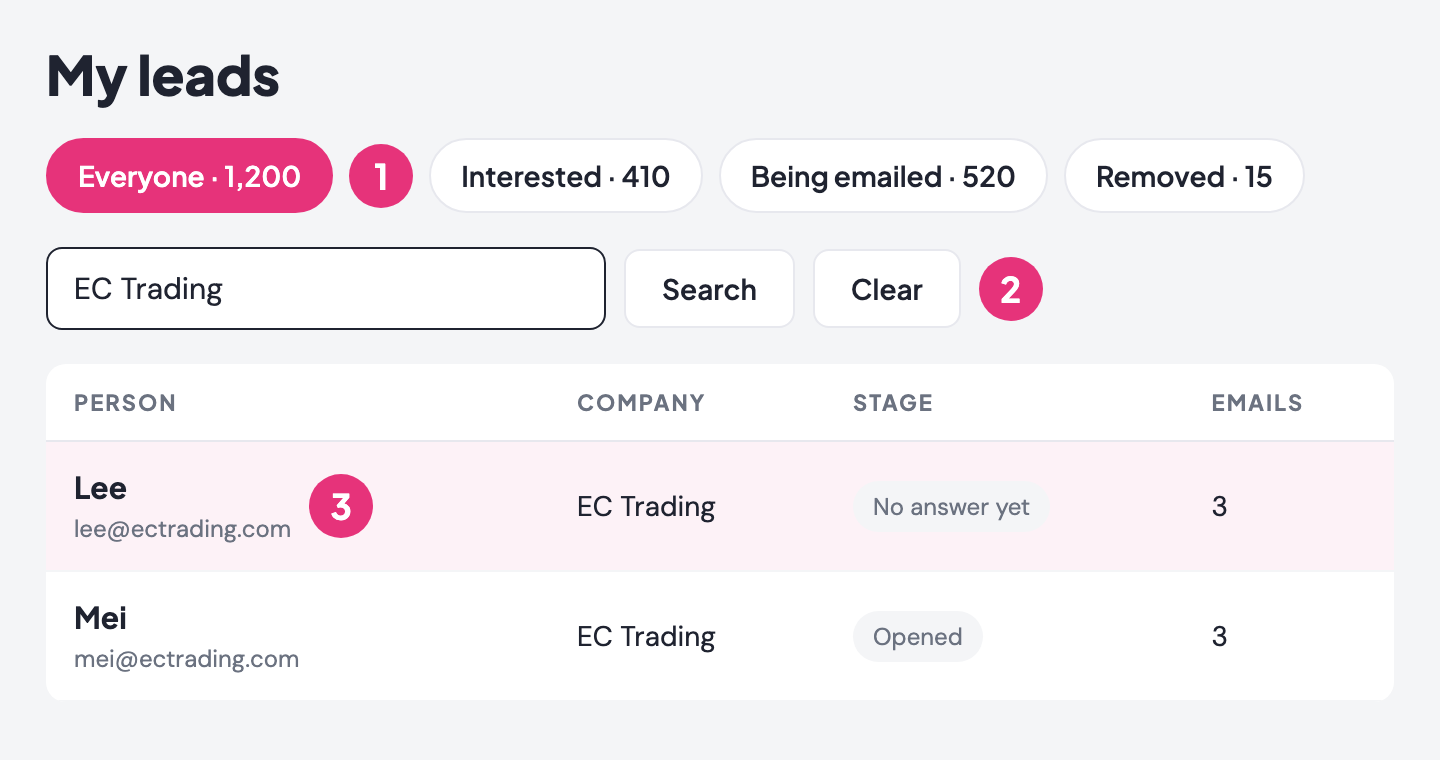
Their record open on screen, with their company, their emails and the campaign they are in.
Step 4 of 5
One button on their record. It takes them out of every campaign at once, now and in future.
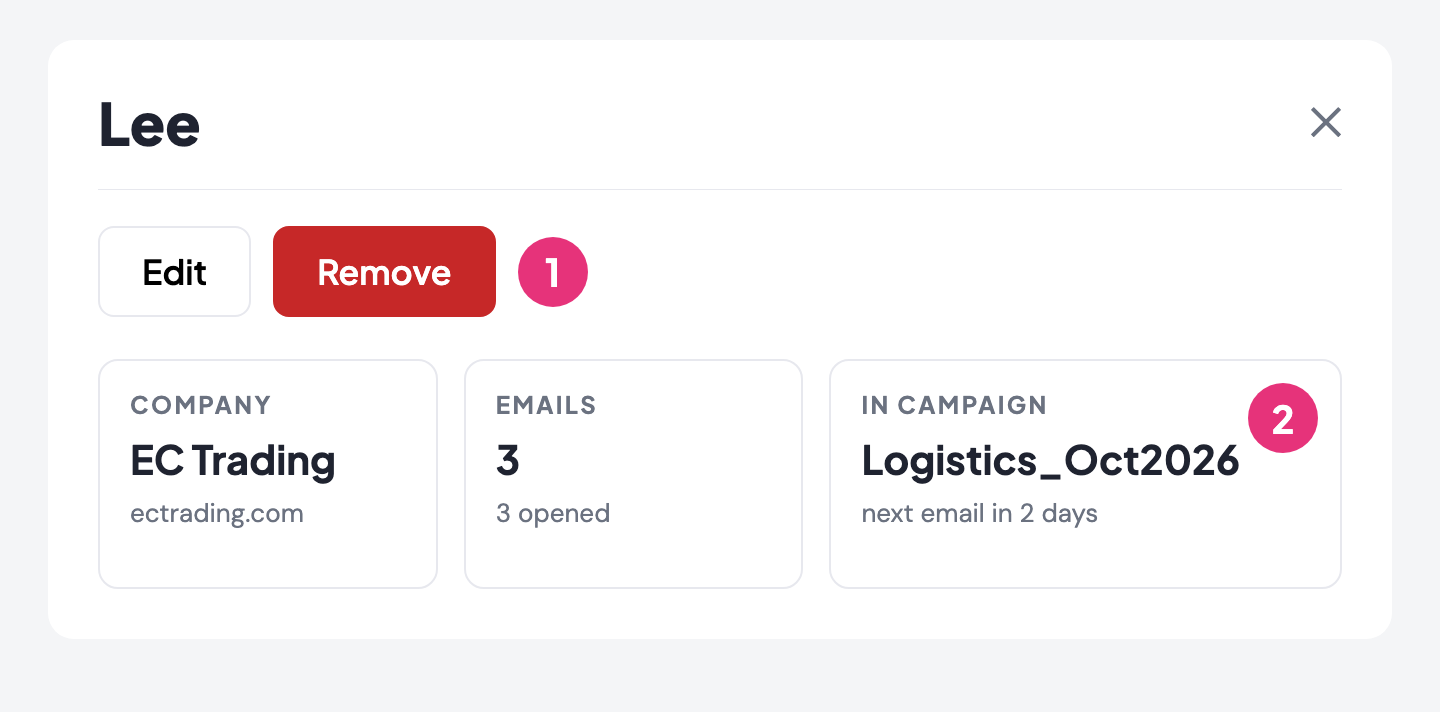
The lead under the Removed tab, and no next email on their record.
Step 5 of 5
Many companies to take out? Let Claude find them for you first.
Two of your companies are in campaigns that are still sending.
| Still being emailed | 2 companies, 7 people |
| Not in any campaign | 1 company |
A short list of the people still being emailed, so you know who to take out.
Two different jobs. Ask Claude and only that one campaign stops, so a later campaign can still reach the lead. Click Remove in your portal and the lead is off every campaign, now and in future. Someone who clicked unsubscribe is already stopped, nothing for you to do.
Stuck? Send us a screenshot on WhatsApp.